Universal Orlando’s Mobile Food & Drink Ordering can be a real line-saver, but it works best when you treat it as an on-site ordering tool—not a way to schedule lunch hours in advance. The feature is available through the official Universal Orlando Resort app at select quick-service locations in Universal Studios Florida, Islands of Adventure, Volcano Bay, Epic Universe and CityWalk. The list, menus and operating availability can change by day, so the app is always the final word.
Set it up before the hungry moment
Before heading out for the day, download the app, create or sign into a Universal Account, and add a payment method to your Universal Account Wallet. This takes only a few minutes in the hotel room or while traveling, but it is a major help when everyone suddenly wants lunch at the same time.
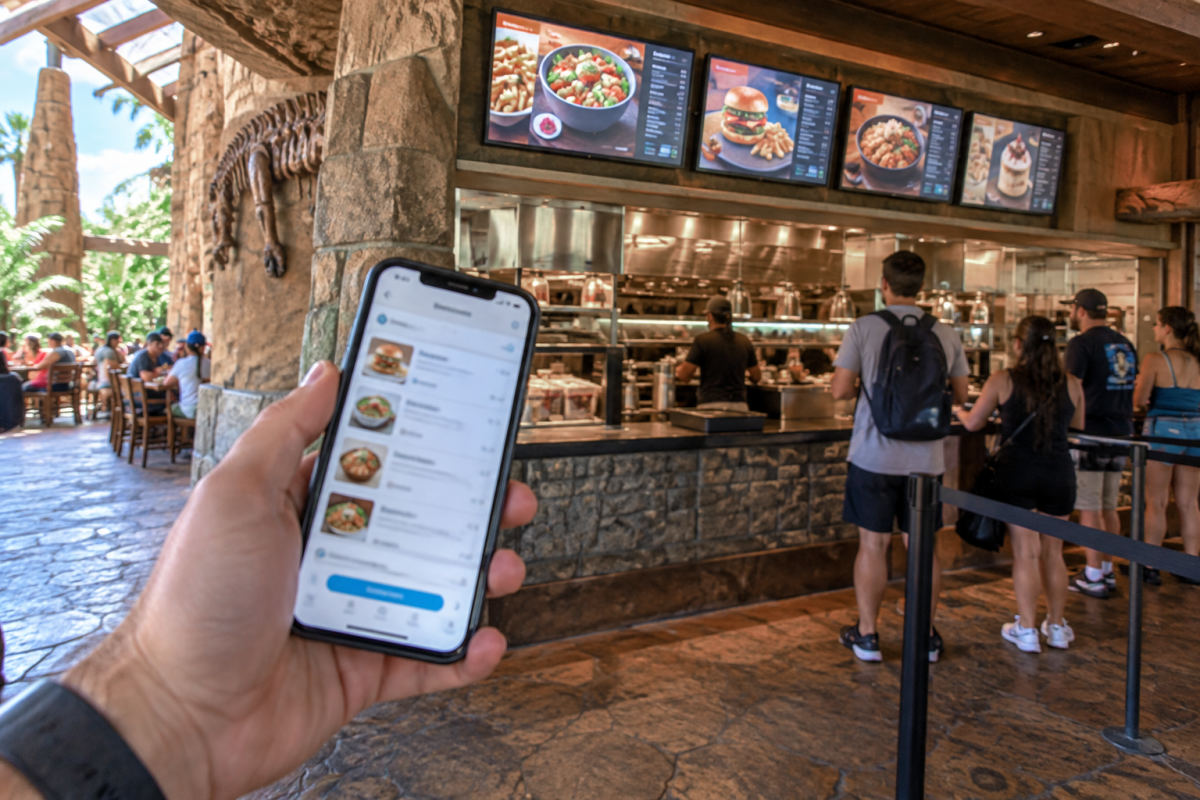
Open the app menu and choose “Order Food & Drinks,” then select a participating restaurant. You can browse the live menu, choose quantities and customizations, add an allergy note when needed, and check out in the app. For a food-allergy note, Universal says a Team Member will speak with you before preparation begins—so build in a little extra time rather than expecting an instant handoff.
When to place the order
The most important step comes after payment: do not hit “Prepare My Order” until your party is actually at, or immediately outside, that restaurant. Universal uses that signal to begin making the food. You can build your cart and complete checkout while walking over, but pressing prepare from another land can leave you rushing across the park while your food is being made.
For the smoothest midday strategy, decide where you want to eat shortly before the lunch rush, order while you are headed in that direction, then tap prepare once you arrive. A slightly early lunch—before noon—or a later one after about 2 p.m. is often a more comfortable rhythm than joining the peak crowd. The same thinking helps at CityWalk: order when you are ready to eat, not while still finishing a show, shopping, or riding an attraction.
Pickup counter, window or table delivery
The fulfillment method depends on the location. Some restaurants direct you to a designated pickup counter; others use a pickup window. At select restaurants, table delivery is offered: find a table first, follow the app prompts, and a Team Member brings the order out. Do not assume every dining room offers table delivery simply because it has tables—look for the option shown for that specific restaurant.
When your order is ready, check the app for the pickup instructions and keep the phone handy. If you are splitting up, designate one person to watch the order status and another to claim a table or manage the kids. It avoids the classic theme-park lunch problem of food being ready while the whole group is still deciding where to sit.
Planning Your Trip
Undercover Tourist is an authorized seller of Universal Orlando tickets, often at a discount off gate price.
What about Universal hotels?
Here is the detail that can trip up resort guests: Universal’s published mobile-food-ordering list covers select locations in the parks and CityWalk, not the hotels. The app is still useful at the hotels for maps, reservations and other trip details, but don’t count on the parks-and-CityWalk mobile-order function for a pool bar, food court or hotel restaurant. Check the app during your stay, and use the hotel’s posted dining options or reservations for the most current arrangement.
Payment, gift cards and discounts
Mobile orders are paid in the app using the payment method in your Wallet. Universal also says that select Universal Orlando Resort gift cards can now be used for mobile orders. That wording matters: certain group-program or food-and-beverage cards may not qualify, so confirm your exact card type in the app before relying on it for lunch.
Premier and Preferred Annual Passholders can link an eligible Pass to their Wallet for automatic food-and-drink discounts at Universal-owned and -operated restaurants and carts; alcohol is excluded. Guests using a qualifying Universal Rewards Visa Signature card may also see its applicable dining savings applied automatically when paying with that card. Offers, participating locations and exclusions can change, so review the current terms before you go.
A simple no-wait game plan
- Install the app and add payment before park day.
- Choose the restaurant based on where you already plan to be—not where you hope to cross the park later.
- Check out ahead, but tap “Prepare My Order” only after arrival.
- Use table delivery only where the app specifically offers it.
- For a park-heavy vacation, organize Universal Orlando ticket plans before arrival so dining decisions can stay flexible once you are inside.
Practical takeaway: Mobile ordering saves the most time when you are physically at the restaurant and ready to eat. Let the app show the day’s eligible locations and pickup method, then time your meal just ahead of—or after—the busiest lunch window.