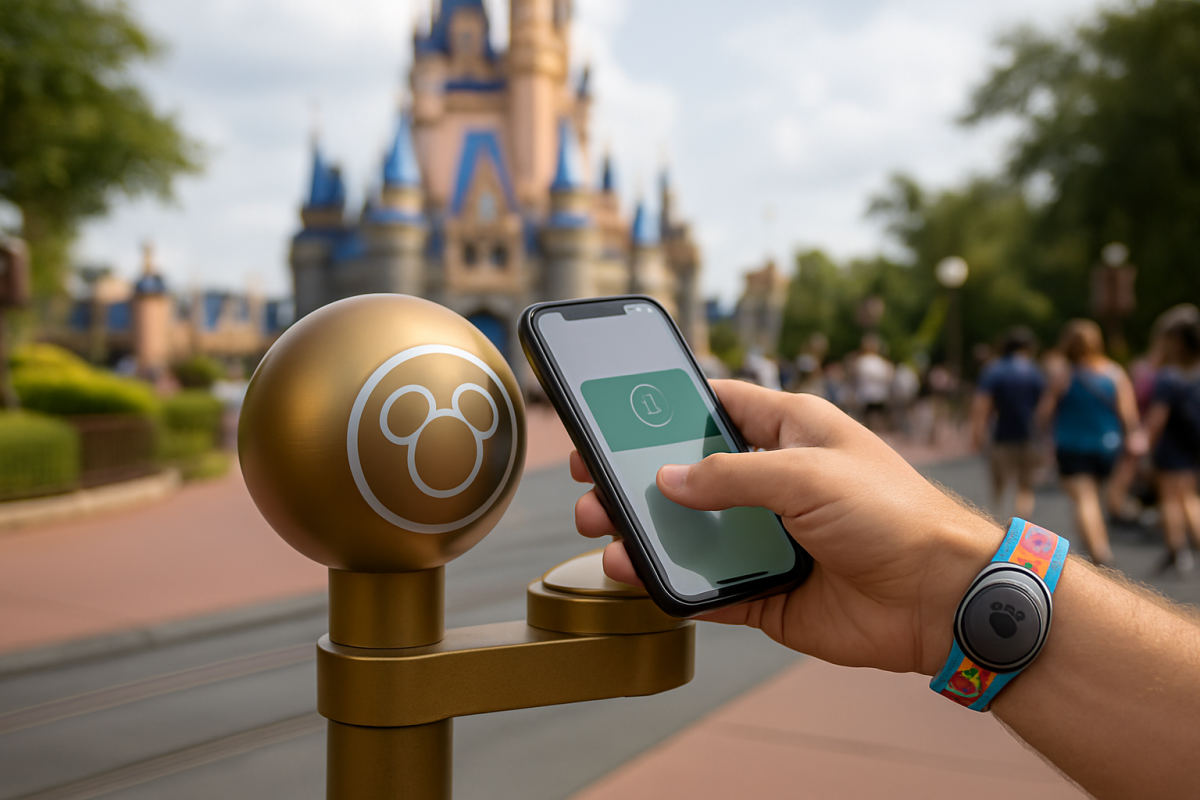
Disney MagicMobile is the no-extra-cost way to keep your Walt Disney World ticket and select vacation entitlements in your phone’s digital wallet. For plenty of visitors, it replaces the need to buy a band: tap an eligible iPhone, Apple Watch or Android phone at the touch point for park entry, PhotoPass and Lightning Lane or virtual-queue check-in. It is especially handy if your phone is already in your hand for the My Disney Experience app.
Set up MagicMobile before travel day
First, make sure everyone’s Disney World tickets, resort reservation (if applicable) and plans are linked in My Disney Experience. A park reservation may still be required for certain admission types and visit dates, so confirm the current requirements before you go.
- Open the My Disney Experience app and tap the three-line menu in the lower-right corner.
- Choose the Disney MagicMobile tile, select a pass style and follow the prompts.
- Tap the plus sign to add the pass to Apple Wallet or Google Wallet.
Do this at home or in the hotel, not while your family is waiting at the turnstiles. On iPhone and Apple Watch, adding the pass enables Express Mode, so you can generally tap without opening Wallet or unlocking the device. Android users need to unlock the phone before tapping.
How family passes work
One adult can create MagicMobile passes for people they manage in My Disney Experience—usually children or relatives who do not use their own Disney account. That makes one phone a workable solution for a young family. At the entrance, tap the first pass, have that guest place their index finger on the reader, then swipe to the next pass and repeat.
For teens and adults who manage their own plans, the cleaner approach is for each person to make a pass on their own device. Apple users also have an iMessage sharing option for MagicMobile passes belonging to Managed Guests who have iPhones. Treat that feature carefully: the ticket and its benefits remain assigned to the original guest, and a shared pass does not make admission transferable. Android’s Google Wallet does not currently offer the same sharing feature.
A practical family strategy is to keep the children’s passes on the parent’s phone while independent adults carry their own. That limits the gate-day shuffle and helps prevent one person from holding every ticket when the group splits up.
Using MagicMobile at the parks and Lightning Lane
At a park entrance, hold the phone or watch near the touch point and follow the on-screen confirmation. Each guest still completes the required finger scan. The same tap-and-scan routine works at Lightning Lane entrances and when returning for a virtual queue—but MagicMobile is only the access method. You must already have a valid Lightning Lane entitlement or virtual-queue return window tied to that guest.
Planning Your Trip
Undercover Tourist is an authorized seller of Walt Disney World tickets, often at a discount off gate price.
MagicMobile can also connect PhotoPass pictures when you present it to a photographer. Disney Resort hotel guests may use it to charge eligible food and merchandise purchases to the payment method on their resort account. It is not a room key by itself; for room entry, use the My Disney Experience app’s Unlock Door feature, a Key to the World card or a Disney band.
Keep your device charged, and take a screenshot or note of important plans in case cellular service gets spotty. If a phone is lost, head to Guest Relations for help rather than trying to sort out tickets at the gate.
When a MagicBand+ is still worth it
A MagicBand+ is optional, not a requirement for park entry or Lightning Lane. It becomes worthwhile when convenience matters more than keeping the cost down. A wrist tap is simpler on a busy park morning, during a rainy afternoon, at a pool or water ride, and when you do not want children handling a phone. It can also unlock a Disney Resort hotel room, link PhotoPass photos and charge resort-account purchases.
MagicBand+ also adds the extras MagicMobile does not: lights and vibrations during select nighttime spectaculars, interactive effects around the resort and the Batuu Bounty Hunters experience in Star Wars: Galaxy’s Edge. It is a fun souvenir for repeat visitors and kids who will enjoy the effects. The band is rechargeable and water-resistant, but remember to charge it before a full park day.
Skip the band if you are taking a short trip, prefer to travel light, or already rely on an Apple Watch. Choose it if your group includes young kids, you are staying at a Disney Resort hotel, or you simply want the least phone-dependent day possible. Best of all, you do not have to choose forever: MagicMobile, a band and a card can all coexist, so set up MagicMobile as your backup even if you buy MagicBand+.
Practical takeaway: Build and test every MagicMobile pass before leaving for the park, then use MagicBand+ only where its wrist-worn convenience and interactive touches genuinely fit your family’s style.